
1. Decide what the SOP is for
Write one sentence: After following this, a new hire can [outcome] without asking anyone. If the sentence needs an “and”, you have two SOPs. Name an owner who will fix it when the screen changes, because software procedures go out of date the first time a vendor moves a button.
2. Fix the starting conditions
List what the reader needs before step one: the account role, the permission, the URL, any data they must have to hand. Most confusing SOPs fail here, not in the steps. If the task needs a test record, create it now so your screenshots do not contain real customer data.
3. Capture the steps by doing the task once
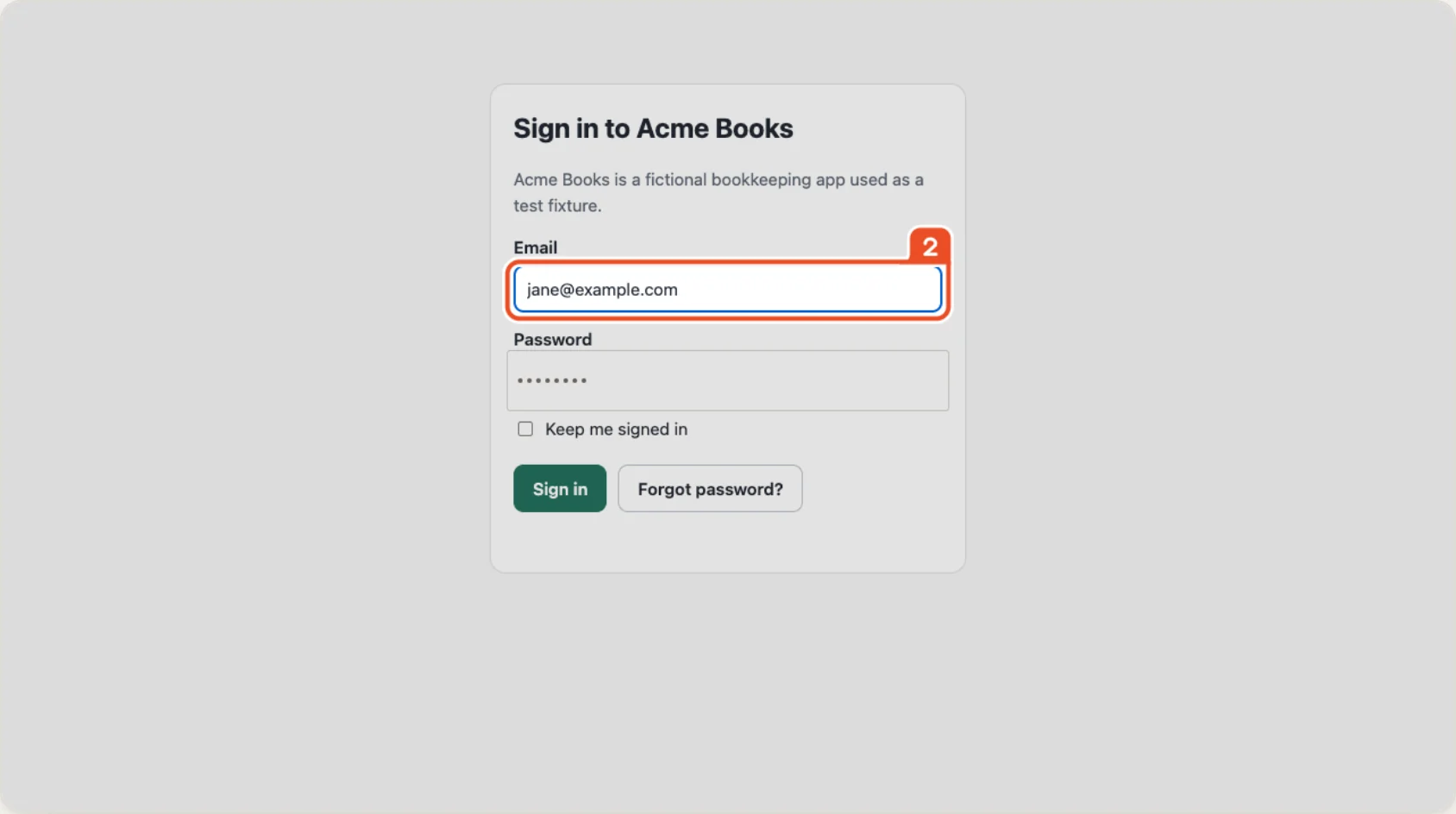
Do the real task at a normal pace and capture every action. This is the part a recorder is for. With Showsteps you press Record, work through the task in Chrome, and stop. Each click, typed field, selection and page change becomes a step with a screenshot and the click target outlined, so you are not pasting screenshots into a document one at a time.
If you are doing it by hand instead, take one screenshot per action, crop tight, and mark the target with a box, not an arrow.
4. Write each step so it can only be read one way
- One action per step. “Click Billing, then Invoices” is two steps.
- Start with a verb and name the control exactly as it appears on screen: Click Export.
- Say what should happen: A download starts and the button changes to Done.
- Put warnings before the step they apply to, not after.
- Use the reader's words for outcomes and the screen's words for buttons.
Generated titles get you most of the way there. Read every one and rewrite those that describe the mechanics rather than the intent. Add a note step where the reader must make a choice.
5. Cover the exceptions
Add a short section for what goes wrong: the error message people will see, why it happens, and what to do. Two or three real errors beat a long troubleshooting table.
6. Redact before you share
Check every screenshot for customer names, emails, account numbers, API keys, internal hostnames and anything in a browser tab title. Blur or crop what should not travel. Showsteps blurs password and card fields automatically and lets you draw a blur anywhere else, but it cannot know that the name in a table is real. That check is yours.
7. Test it on someone who has never done it
Sit next to a person who has never done the task and say nothing while they follow the document. Every time they hesitate, fix the step. This is the whole quality process, and it is cheap.
8. Version it and set a review date
Put the version, owner and last-reviewed date at the top. Keep the recording file: with Showsteps you can reopen the .showsteps project, fix the one step that changed and export again, instead of starting over.
SOP: Refund a customer in the billing dashboard
Owner: Support lead     Version: 1.2     Reviewed: 2026-09-28

Purpose
After following this, a support agent can issue a full refund without help.

Before you start
- You have the Support Agent role in the billing dashboard.
- You have the order number from the ticket.

Steps
1. Click Orders.
2. Type the order number in Search, then press Enter.
3. Click the order in the results.
4. Click Refund. A confirmation dialog opens.
5. Select Full refund, then click Confirm. A green banner reads Refund issued.

If something goes wrong
- Refund is greyed out: the order is more than 90 days old; escalate to the finance lead.

Change log
1.2  Refund button moved to the order header.